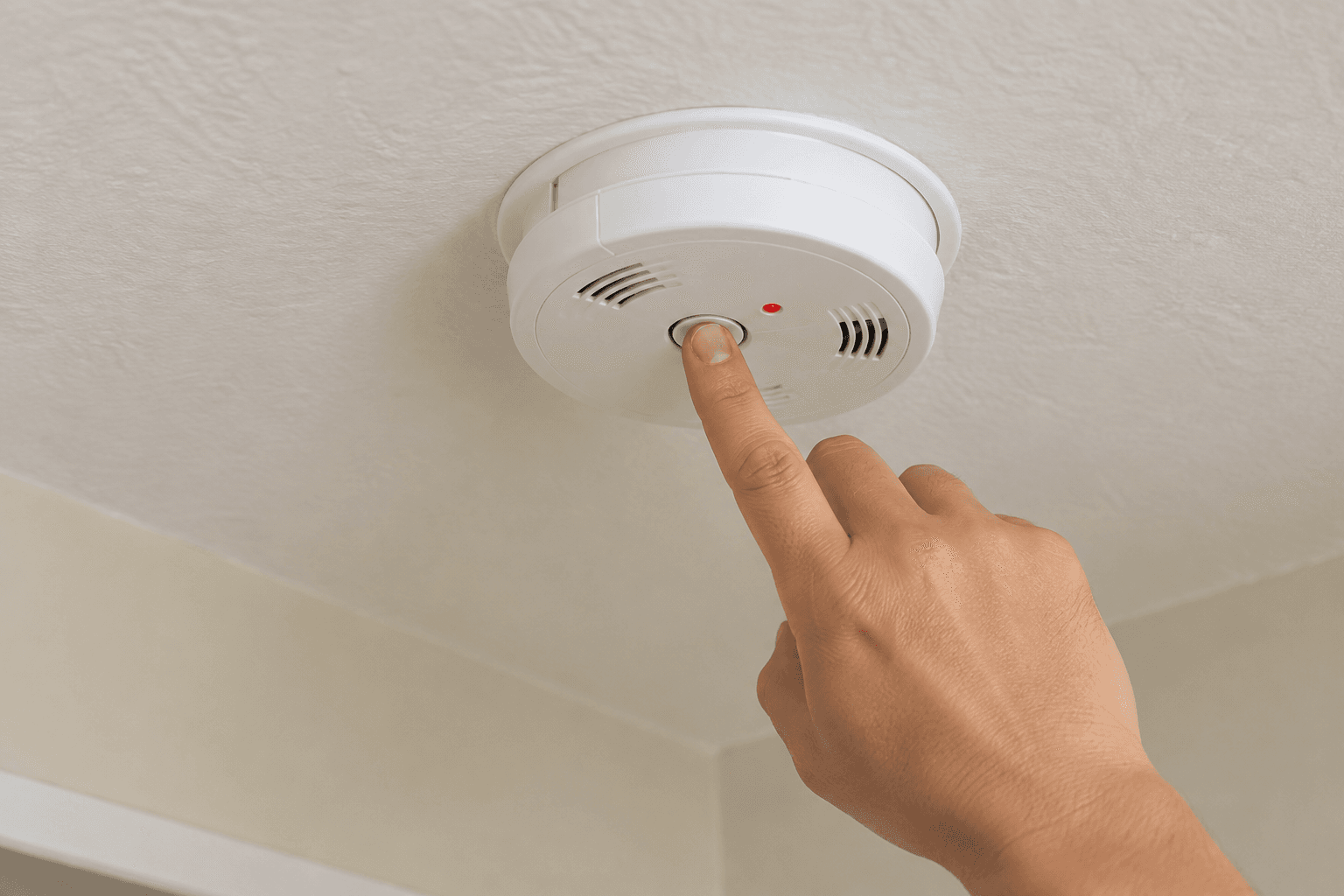
It's 2 a.m., the alarm in the hallway won't stop, and most people do one of three things: yank the battery, flip a breaker, or throw a towel over the unit and hope for the best. None of those are really resetting anything. They're just making the noise stop, which is a different goal entirely, and sometimes a dangerous one.
Knowing how to reset home fire alarm hardware properly means something more specific than silencing it. It means confirming what actually triggered the alarm, clearing that condition correctly for your exact type of unit, and leaving the system fully armed again afterward, not quietly disabled because nobody wanted to deal with it at the time.
Leaving a home unprotected is a critical safety gap that many families overlook. According to a First Alert consumer survey, 60% of Americans have experienced a nuisance alarm at home, and of those, 41% admitted to disconnecting the unit afterward and 35% removed the battery, both of which leave a home with zero fire protection from that device until someone remembers to undo it. This guide walks through the reset process itself, how it changes by alarm type, and what's actually happening underneath a chirp that a quick reset sometimes papers over instead of solving.
The Check That Has to Happen Before Any Reset
Every method below assumes you've already done one thing: ruled out an actual fire. Look for smoke, unusual heat, or a burning smell before touching any button. A continuous, steady tone is the emergency signal. An intermittent chirp every 30 to 60 seconds is a maintenance issue, not danger, almost always tied to a low battery or a sensor fault. If there's genuine doubt, leave the house and call emergency services first. Resetting only makes sense once you're confident the trigger was something ordinary: cooking smoke, shower steam, dust stirred up during a renovation.
How to Reset Home Fire Alarm Units by Type
The correct process depends heavily on what's actually installed. A lot of frustrated troubleshooting comes from treating a hardwired system like a battery unit, or assuming a smart alarm behaves like either one.
Hardwired and Interconnected Systems
Most homes built in the last few decades use alarms wired into household electrical power with a battery backup, frequently interconnected so every unit in the house sounds together when one triggers.
Press and hold the silence or test/reset button on the specific unit that triggered, typically for 10 to 15 seconds, until you hear a confirmation tone or click.
If it won't clear, a full power cycle is the next step. At the electrical panel, switch off the circuit breaker feeding the alarm system, wait roughly 15 to 30 seconds, then restore power. This forces every interconnected unit to reboot together rather than just the one that triggered.
Expect a brief chirp or flash from each alarm as the system reinitializes. That's normal and should settle within a minute or two.
Don't leave the breaker off "for now" to get some peace and quiet. Interconnected systems are wired this way precisely so they're hard to casually disable, and cutting power removes protection from every alarm on that circuit, not just the one that was beeping.
Battery-Only Units
Standalone smoke detectors running on a replaceable 9-volt battery, or a sealed, non-replaceable 10-year lithium battery, reset differently from hardwired systems.
If the unit is chirping intermittently, swap the battery first. A dying battery is the single most common reason a reset seems to fail, since the underlying power problem is still there after you press the button.
With a fresh battery installed, press and hold the test/reset button until the chirping stops and you hear one confirmation tone.
Sealed 10-year lithium units have no battery to swap. If the reset button doesn't clear a persistent chirp on one of these, the unit itself has reached its end of life and needs full replacement, not another reset attempt.
Smart and Wi-Fi Connected Alarms
Connected alarms add a software layer on top of the same underlying hardware.
Check the manufacturer's companion app first. Many smart units report the specific fault remotely, whether that's low battery, sensor contamination, or a lost Wi-Fi connection, telling you upfront whether a physical reset will actually help.
Physically reset using the same press-and-hold method as a standard alarm, since the core alarm function usually operates independently of the app layer.
If the app still shows the unit offline after a physical reset, a full factory reset through the app, not just the physical button, is typically the next step. The exact process varies more between brands here than with standard hardwired or battery units, so check your model's specific instructions before doing this.
What's Actually Behind the Chirp You're Resetting
Not every beep calls for the same fix, and the wrong response can mask a real problem instead of resolving it. A continuous alarm tone means fire, not a reset candidate. A single intermittent chirp is almost always a low-battery warning. A chirp that survives a fresh battery and a full reset usually points to dust, insects, or debris inside the sensor chamber, which needs a gentle vacuum with a brush attachment rather than another reset cycle.
Sensor type matters here too, and it's something most troubleshooting guides skip. A CPSC pilot study on nuisance alarms found that ionization and dual-sensor smoke alarms triggered false activations from cooking considerably more often than photoelectric sensors at the same distance from a stove, with pan-frying and stir-frying producing the most nuisance alarms of any cooking method tested. If your kitchen alarm resets constantly, the sensor technology itself, not a fault with your resetting technique, may be the actual issue. If your unit's specific chirp pattern doesn't match anything here, the model-specific signal table in its manual is the only fully reliable source, since manufacturers don't standardize these patterns identically across brands.
Why a Reset That Doesn't Stick Isn't a Reset Problem
NFPA research attributes roughly a third of all false and unwanted fire alarm calls to system malfunctions within the alarm equipment itself, not human error or environmental triggers. A reset that holds for a day and then starts chirping again is usually telling you something a reset can't fix:
Dust or insects inside the sensor chamber, common in units that haven't been cleaned in a year or more
Placement too close to a kitchen, bathroom, or HVAC supply vent, where steam, grease particles, or airflow repeatedly trigger activations no reset prevents from recurring
An aging unit nearing the end of its rated service life, where internal components degrade even with a fresh battery installed
A wiring fault on an interconnected system, where one failing unit causes chirping to appear across several alarms, not just the one actually at fault
If resetting routinely stops working within hours or days, that pattern is the system telling you it needs more than a reset, not a signal to try harder or cycle the breaker more aggressively.
The Point Where Resetting Stops Being the Answer
A hardwired system that won't clear after a proper power cycle, recurring false alarms with no identifiable trigger, or any unit that's passed 10 years from its manufacture date are all reasons to stop troubleshooting and call a licensed electrician or fire alarm technician. Tracking a unit's actual age rather than guessing is what separates a quick fix from a system that's genuinely reached the end of its service life, a principle that applies to most home safety equipment, not just fire alarms specifically.
Folding a quick alarm check into a broader seasonal home inspection and the same routine maintenance habit used for other home systems makes repeated resets far less likely to sneak up on you unannounced. That kind of consistency is covered in more depth in general home maintenance routines, and it applies just as well to fire and carbon monoxide alarms as it does to plumbing.
Common Questions
Is it ever okay to just remove the battery instead of resetting?
Only briefly, and only if you replace it immediately. Leaving a unit without a battery, even for a few hours, disables it completely. That's precisely the gap behind the First Alert survey finding that over a third of people who experienced a nuisance alarm ended up with a disabled smoke detector afterward, often without immediately fixing it.
Why does my alarm keep chirping even after I replaced the battery and reset it?
Usually dust in the sensor chamber, a unit nearing end of life, or, on an interconnected system, a different unit in the chain that's the actual source of the fault rather than the one making noise.
Does resetting a fire alarm erase any stored information?
On basic hardwired or battery units, no, there's nothing stored to erase. On smart alarms, a full factory reset through the companion app can clear Wi-Fi settings and alert history, which is a different and more involved process than the basic physical reset.
How long does it take for a hardwired system to settle down after a reboot?
Give the system a few minutes to fully reinitialize before concluding the reset failed. Resetting again immediately, before the alarm has had time to settle, is one of the most common reasons people think a reset didn't work when it actually just needed more time.
Why do ionization alarms near the kitchen seem to go off more than ones in other rooms?
Ionization sensors are more sensitive to the small particles produced by cooking, particularly high-heat methods like frying, than photoelectric sensors are. Relocating the alarm slightly farther from the stove, or switching that specific unit to a photoelectric type, meaningfully reduces nuisance activations without reducing real fire protection elsewhere in the home.
About Mubashir Yaqoob
Mubashir Yaqoob researches and writes practical home repair guides for Home Repair Manual, focused on translating technical roofing, plumbing, and maintenance information into clear advice for homeowners.
View all posts by Mubashir Yaqoob